Published: 15 August 2026
This page is part of our Airport Travel Hub, which brings together all our guides to making your journey through the airport easier.
The Best Travel Apps You Need on Your Phone
Smartphones are an invaluable piece of technology for communicating and are definitely one of the most useful things you can take on a trip. From storing boarding passes and finding your hotel to translating a menu, tracking a delayed flight or working out who owes what after dinner, the right apps can make travelling considerably easier.
We have put together the travel apps that we actually find useful – including some obvious essentials and a few that you might not have considered. All are free to download (although some have premium options) and will hopefully save you time, money or stress on your next trip.
Our 5 Must-Have Travel Apps
 Your Airline app
 Google Maps
 Google Translate
 FlightStats
 TripIt
Before & During Your Trip
The App of the Airline you are flying with
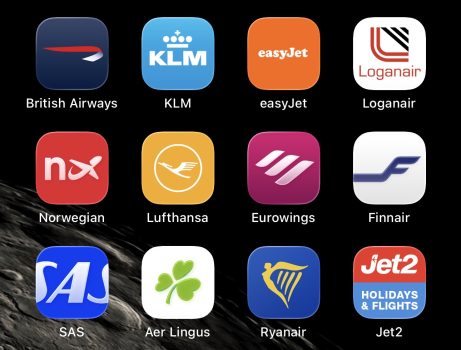
Perhaps the most important app these days. Apart from making sure you have your flight details and boarding pass to hand, airline apps often allow you to book additional luggage, choose seats and order in-flight refreshments. Many airlines also use their apps to advise of any delays or changes to planned travel. Depending on your airline and flight ticket, some apps even allow you to rebook onto a different flight or in the case of an overnight delay, book hotel accommodation.
The Booking App of your Accommodation
This is always a very easy place to find the address of where you are staying and the booking details. If you are staying in a hotel that is part of a major chain, you can often also use the app to choose your exact room, digitally check-in and check-out, order in-room services, track your points balance and even (in some cases) adjust the room lighting and temperature.
TripIt
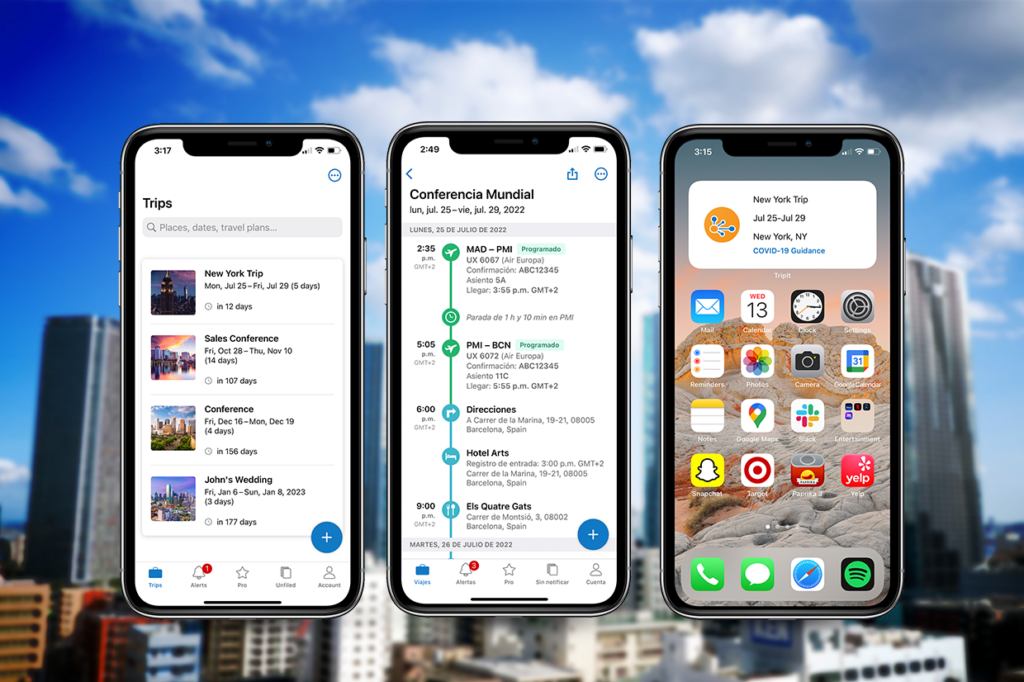
This consolidates all your flight, car hire, accomodation and attraction bookings all into one itinerary – all you need to do is forward your confirmation emails and it will do the rest. You can even can share your plans among your fellow travellers. Read our review here.
Getting Around
Google Maps
There are a lot of map apps but the reason I recommend Google Maps is the offline maps feature. This enables you to download maps to your device before setting out so you do not need to be connected to any data services. This can be particularly useful for those wary of data roaming charges or fearful of losing their mobile phone signal at an important time.
Uber
Say what you like about Uber, but the ability to have one transport app that works in multiple different countries makes it one of the most important things to have on your phone. I had Uber on my phone long before it was available in my local area – just for when I was working away from home or abroad on holiday. Remember that Uber is not present everywhere (and in some cities it is simply a booking app for local taxis) so its important to check the transport services in the place you are visiting.
Google Translate
Native English speakers often have it lucky when travelling abroad when it comes to the language barrier, perhaps now more than ever. However, there are many places where you might not find a confident English speaker or an English language menu so a translation app comes in really useful. Google Translate apparently works in 249 languages, and can translate text or audio. It can even use image capture from the camera on your phone to translate printed words. I found this invaluable in Denmark where the bar in the village I was staying in did not have an English food menu or someone who could understand me – so it can come in handy even in places where you would not normally expect to use it.
Currency Converter
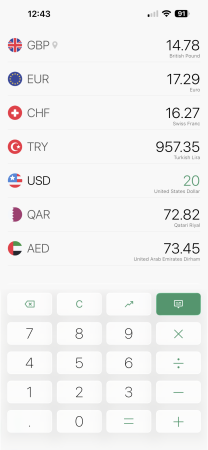
This very simple app converts over 170 currencies instantly and conveniently you can also favourite the currency of the countries that you visit more frequently. It works in real time but if you have no data connection, it also works offline as well. You can see historical graphs if you want and there is even a calculator too.
At the Airport
Flightstats
Flightstats often shows the status of your flight, planned departure time and gate number well before the departure screens in the terminal so you can be prepared for any delays and use your time at the airport as efficiently as possible.
Flightradar 24
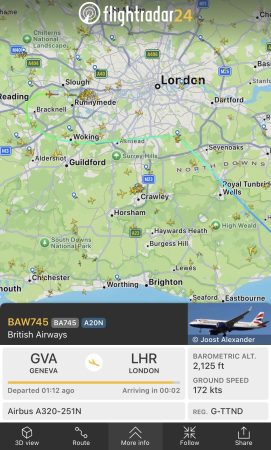
Flightradar is a cool app that enables you to live track all commercial aircraft in the sky on a map. It has a practical use too, you can search for the flight you are travelling on, make a note of the registration number (eg G-XXXX), then search for that same registration and you can see if the plane you are flying on is running on schedule or not. It is not 100% guaranteed but if for example, you are flying to Amsterdam from Stockholm on KLM, you can be pretty confident that your plane will be the inbound KLM flight landing 50 minutes before your planned departure time.
Specialist Travel Apps
Tripadvisor
Everyone uses TripAdvisor, mainly for hotel recommendations. It is brilliant for bars and restaurants too, especially when you want to grab something quickly in a strange town. Of course this works best when everyone contributes so leave a review and some photos the next time you eat out.
Tricount
Going on a trip with a large group of friends? Tricount is the ideal app for splitting the costs fairly. Each time you eat out or go out for drinks, you add the bill to the app, ticking off whoever is present, and it will allocate the costs evenly. If you have a friend who likes vintage champagne and takes a higher split of the bill or if cousin Jim went home early one night, the app can handle all that too. Every group member can add things that they have bought for the group and at the end of the trip it works out what everyone owes and how to settle it up in the simplest way possible.
MPC
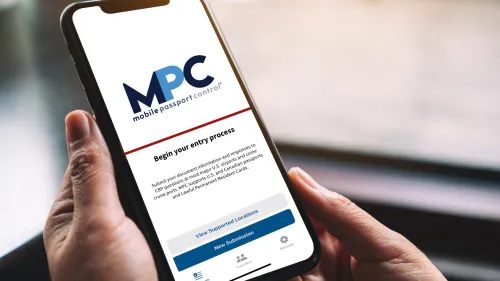
For visiting the US, the Mobile Passport Control app can save a significant amount of time at passport control. I highly recommend using this if you can, read more here.
Airalo
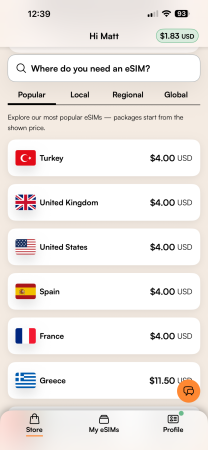
eSIMs have become increasingly popular in recent years due to the increased demand to stay connected to the world and the sometimes ludicrous roaming charges of domestic phone networks. With Airalo, you install the app, buy a data package for a fixed amount and then use that exactly as you would at home – without the worry of bill shock when you get back. Data packages vary in price depending on the quantity of data and the duration required but can also be topped up if needed. I have used Airalo in many places including the US, Qatar, Greece, Italy, South Africa and the Channel Islands and highly recommend it – read our review and get a discount code here.
Our Take
You certainly don’t need to fill your phone with dozens of travel apps before every trip, but having a few of the right ones installed can make your travels easier.
At the very least, we’d recommend downloading your airline and accommodation apps, Google Maps and a translation app before leaving home. Beyond those essentials, the best choices will depend on where you’re going – MPC can potentially save a huge amount of time when entering the United States, Airalo can help avoid expensive roaming charges and Tricount is absolutely brilliant when travelling with a group.
The important thing is to download and set everything up before you travel. Sign into your accounts, download any offline maps you might need and make sure important bookings are accessible on your phone.
Your smartphone won’t prevent flights being delayed or your plans going wrong, but having the right apps available can make dealing with those problems a lot easier.